
Download Alinma App – mobile banking app, Alinma Bank, online banking, secure banking, digital banking, finance app, banking app
Overview
The Alinma App is a mobile banking application developed by Alinma Bank, designed to streamline financial management for users on the Android platform. As a digital banking solution, it enables users to access a broad range of banking services directly from their smartphones, eliminating the need for physical branch visits. The app supports core banking functions such as account balance inquiries, transaction history reviews, fund transfers, bill payments, and credit card management.
It also provides tools for investment tracking and financial oversight, catering to individuals seeking a centralized platform for personal finance control. The app’s modern interface emphasizes usability, offering a clean layout that enhances accessibility for both tech-savvy users and those less familiar with digital banking. Its purpose is to simplify daily banking tasks while ensuring secure access to financial data.
The app is intended for consumers who prioritize convenience, speed, and security in managing their finances. Alinma Bank has positioned the Alinma App as a comprehensive digital alternative to traditional banking methods. The developer did not provide additional details about the app’s underlying architecture or development philosophy.
Platform compatibility is confirmed for Android devices, with no information on other operating systems.
Key Features & Capabilities
- Account Management: Users can view real-time account balances and access detailed transaction histories, enabling better financial tracking and budgeting.
- Fund Transfers: The app supports instant transfers between accounts, including internal transfers and external transfers to other banks, improving cash flow management.
- Billing & Payments: Users can pay utility bills, subscriptions, and other recurring payments directly through the app, reducing the risk of missed due dates.
- Credit Card Services: Full control over credit card accounts, including balance checks, payment processing, and transaction monitoring.
- Investment Tracking: Access to investment portfolios allows users to monitor performance and manage financial goals through a single interface.
- Biometric Authentication: Enhanced security through fingerprint and face recognition, ensuring only authorized users can access sensitive financial data.
These features collectively support daily financial operations, from routine payments to long-term investment oversight. The integration of biometric login simplifies access while maintaining a high level of security. The app’s workflow is designed to minimize steps for common tasks, such as transferring money or checking balances, which enhances user efficiency. Real-world usage includes managing household expenses, paying monthly subscriptions, and monitoring savings goals. The developer did not specify technical limitations or feature dependencies, so all functionalities are assumed to operate within standard mobile banking parameters.
User Interface, Workflow & Performance
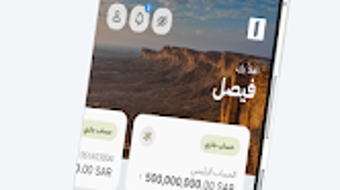
The Alinma App features a modern, intuitive user interface with a clean layout and consistent navigation patterns. The main dashboard displays key financial metrics, such as account balances and recent transactions, allowing users to quickly assess their financial status. Menus are organized by function, with clear icons and labels that guide users through various services.
The workflow for common tasks like fund transfers or bill payments is streamlined, requiring minimal input and navigation steps. This design reduces cognitive load and supports efficient task completion. The app’s responsiveness appears to be optimized for mobile environments, though exact performance metrics were not specified.
The developer did not provide information on CPU or RAM usage, so performance behavior is based on general patterns for Android banking applications. Stability is expected to be high, given the app’s focus on secure and reliable service delivery. The app operates without requiring constant internet connectivity for basic functions, but real-time data updates depend on a stable connection.
No reports of crashes or performance degradation were mentioned in the provided information.
Compatibility & System Requirements
The Alinma App is available exclusively for Android devices. It is compatible with Android OS versions that support the app’s current release, though specific minimum requirements were not listed. The installation size is 112.2 MB, which is typical for feature-rich mobile applications.
The app does not require additional software or third-party plugins to function. No information was provided about hardware specifications such as processor speed, RAM, or storage capacity. The developer did not specify whether the app supports tablets or other Android-based devices.
Compatibility with older Android versions is unclear. The app is designed for mobile use and does not support desktop or web-based access. Users are advised to ensure their device meets standard Android system requirements for app installation and operation.
Pros and Cons
Pros
- Free to download and use with no hidden costs
- Modern, user-friendly interface with intuitive navigation
- Comprehensive set of banking services in one platform
- Advanced security with biometric authentication (fingerprint, face recognition)
- Supports real-time account management and transaction tracking
- Offers investment monitoring and payment tools for holistic financial control
Cons
- Available only on Android, limiting access for iOS users
- Exact system requirements were not specified
- No information on offline functionality beyond basic access
- App size may be large for users with limited device storage
- Platform-specific features may not be available on all Android devices
FAQ Section
Is the Alinma App available for iOS devices?
The app is currently available only for Android platforms. There is no official release for iOS devices as of the provided information.
How secure is the Alinma App?
The app incorporates biometric authentication methods such as fingerprint and face recognition to protect user accounts. It is designed to safeguard personal and financial data through secure encryption protocols, though specific security architecture details were not disclosed.
Does the app require an internet connection to function?
Basic functions like viewing saved account information or transaction history may work offline. However, real-time updates, fund transfers, and online payments require an active internet connection.
How often does the app receive updates?
Regular updates are likely, as the app is maintained by Alinma Bank. The most recent version is 5.2.3, released on May 22, 2024. Users are encouraged to keep the app updated for optimal performance and security.
Can I use the Alinma App without a bank account?
Access to the full range of services requires an active Alinma Bank account. The app is designed for existing customers to manage their accounts digitally.
Final Thoughts
The Alinma App delivers a robust, secure, and user-centric mobile banking experience tailored for Android users. With its clean interface, comprehensive feature set, and strong security measures, it effectively supports daily financial management tasks. The integration of biometric authentication enhances both usability and protection, making it suitable for users who value convenience without compromising safety.
While the app is currently limited to Android, its functionality and design reflect a modern approach to digital banking. It is particularly beneficial for Alinma Bank customers seeking a reliable, all-in-one solution for managing accounts, payments, and investments. The free pricing model further increases its accessibility.
For individuals who prioritize digital convenience and security in their banking routines, the Alinma App stands out as a top-tier mobile banking tool. Download Alinma App now.





.png)

